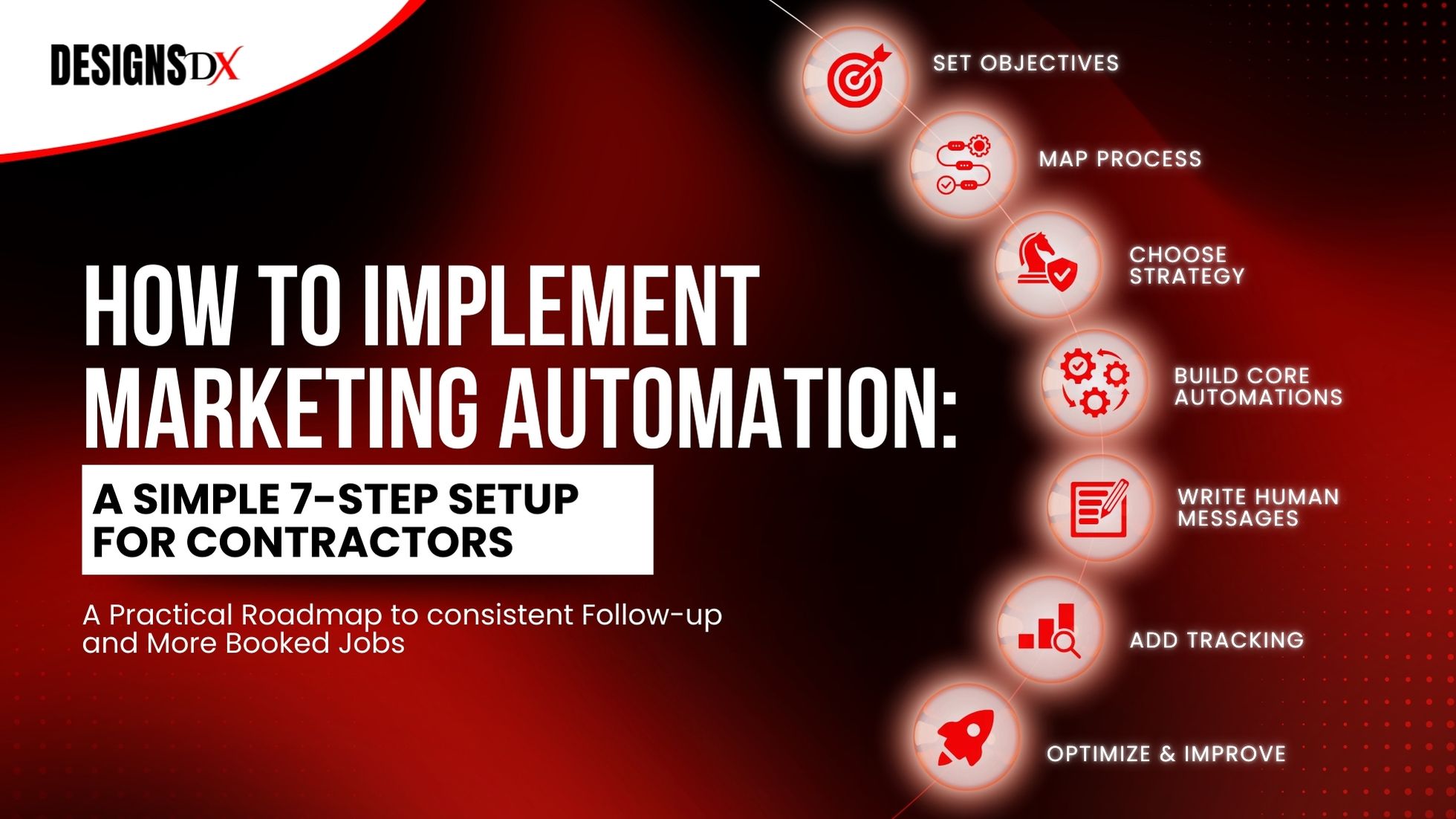
How to Implement Marketing Automation: A Simple 7-Step Setup for Contractors
Running a home service business means you’re juggling a lot of jobs in the field, calls coming in, estimates going out, and a hundred small follow-ups that are easy to miss.
When follow-up isn’t consistent, a few common things tend to happen:
This guide shows how to implement marketing automation in a practical way—so your lead-to-booked-job process runs reliably without adding more office staff. (It also supports your larger system for small business automation.)
Marketing automation basics
Marketing automation is a set of simple rules and messages that help move leads to the next step—booking, approving an estimate, leaving a review, or referring a friend.
Most systems include:
If you’ve ever thought, “I just want follow-up to happen every time,” you’re already thinking like an automation builder.
How marketing automation works
Here’s the simplest way to think about it:
Trigger → Message/Task → Next Step → Tracking
Example:
That’s it. The “automation” is simply making sure the right actions happen consistently.
Step 1: Set your marketing automation objectives
Before you build anything, choose one clear objective. If you try to automate everything at once, you’ll end up with extra complexity and unclear results.
Common contractor objectives:
- 1
Increase booked appointments (speed-to-lead + reminders)
- 2
Increase close rate on estimates (estimate follow-up sequence)
- 3
Reduce no-shows (confirmations + reminders)
- 4
Get more 5-star reviews (post-job review requests)
- 5
Improve ROI visibility (tracking lead source → job won)
Pick one objective for your first implementation. Once that’s working, expanding is easy.
Step 2: Map your marketing automation process (your customer journey)
Write your customer journey on one line:
Lead → Contacted → Booked → Estimate Sent → Won/Lost → Job Complete → Review → Reactivation/Referral
Now ask: Where do leads usually stall?
That “stall point” is the best place to automate first.
Step 3: Choose a simple marketing automation strategy
A reliable marketing automation strategy for contractors is:
- 1
Respond quickly
- 2
Follow up consistently
- 3
Make booking easy
- 4
Build trust (reviews, clear process, helpful answers)
- 5
Track outcomes and improve over time
You don’t need complex branching logic on day one. Start simple, then refine.
Step 4: Build the 3 “must-have” automations first
If you implement only three automations to start, make them these:
This is the core of marketing automation implementation that creates real momentum.
Step 5: Write the messages (keep it human)
Automation works best when your messages sound like a real person—clear, helpful, and easy to respond to.
Use this rule:
New lead instant text template
“Thanks for reaching out what service do you need, and what’s the best time to call you today?”
Estimate follow-up template (Day 1)
“Just checking in did you have any questions about the estimate I sent over?”
Booking reminder template
“Reminder: you’re scheduled for [Day/Time]. Reply YES to confirm, or let us know if you need to reschedule.”
Review request template
“Thanks again for choosing us—could you leave a quick review? It really helps: [link]”
If the copy stays simple, your team will use it and homeowners are more likely to respond.
Step 6: Add tracking so you can prove ROI
If you want marketing to feel predictable, you need visibility.
Track these weekly:
Tracking turns automation into a system you can improve—not just a set of messages that fire.
Step 7: Optimize with simple marketing automation tactics
Once the first version is running, improve it with small, measurable changes.
High-impact tactics:
Small improvements compound quickly.
Example implementation plan (copy this)
Here’s a simple 14-day rollout you can follow:
Days 1–2: Setup
- Pick one objective (example: book more appointments)
- Map pipeline stages and tags
- Confirm lead sources are connected (forms, calls, social)
Days 3–5: Build automations
- New lead instant response
- Missed-call text back (optional, but very effective)
- Appointment confirmations/reminders
Days 6–7: Write messages
- 2–3 templates per automation
- Keep the tone consistent with your business
Days 8–10: Test
- Submit a form
- Miss a call
- Send a test estimate
- Confirm tasks + messages fire correctly
Days 11–14: Launch + track
- Turn on automations
- Monitor replies, bookings, and close rate
This is a straightforward way to implement automation without overwhelm.
Do you need a marketing automation strategist?
You can DIY the basics, especially if you’re starting small.
Many contractors choose to work with a marketing automation strategist when:
The goal isn’t more software it’s a workflow that consistently converts.
Common Mistakes (and how to avoid them)
How Designs Dx helps contractors implement marketing automation
At Designs Dx, we implement automation as a lead-to-job system, not a random set of texts.
We typically help with:
If you want, we’ll map your process and show you the top 3 automations to implement first for the fastest ROI.

Frequently Asked Questions
Related Posts