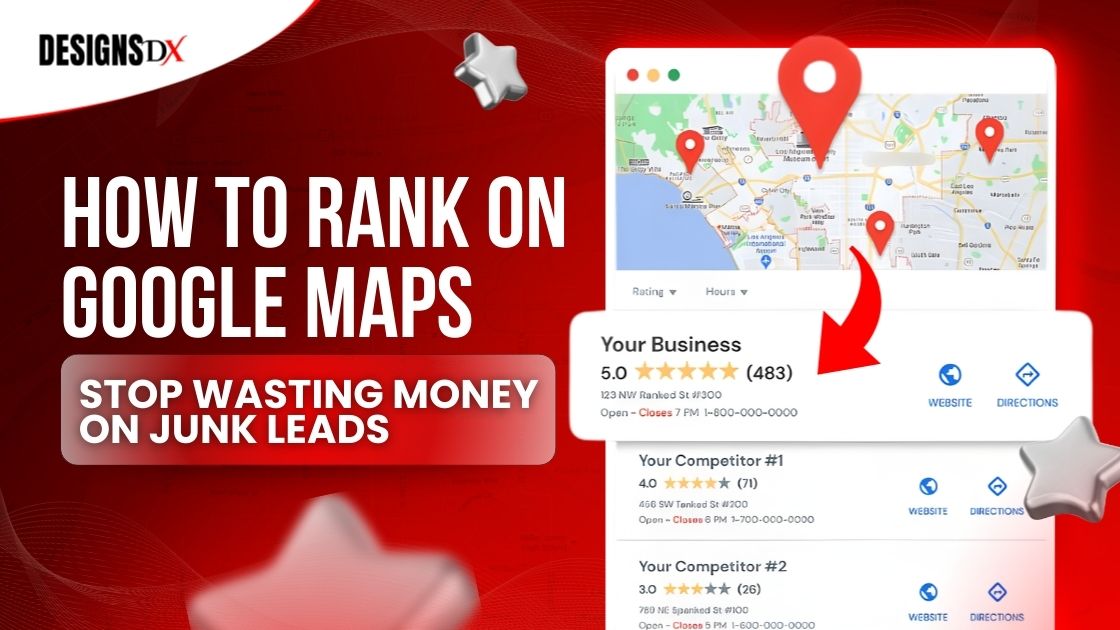
How to Rank on Google Maps and Stop Wasting Money on Junk Leads
Why “More Leads” Sometimes Means “More Junk”
How to rank on google maps is one of the best ways to turn local searches into real phone calls, not time-wasting junk leads. If you run a home service business, you have probably felt this already: the phone rings, but it is the wrong job, the wrong location, or someone just price shopping.
The goal is not to get “more” leads. The goal is to get better leads that match the work you actually want. Ranking in the Google Maps 3-Pack (the top map results) helps because it puts your business in front of people who are actively looking for your service in your area.
This guide will show you simple steps to clean up your listing, build trust fast, and stay visible over time. If you want help implementing this, start with Designs Dx and our SEO for contractors approach.
What Google Maps Looks For
Google Maps mostly rewards businesses that look like a good match, look trustworthy, and look active. For a quick official reference, here are Google’s local ranking factors.
Here are the three big ideas:
If you want to rank higher on google maps, you need to build those signals in a steady, repeatable way.
Step 1: Fix Your Listing So the Right People Call You
Your Google listing is often the first thing a homeowner sees. If it is unclear, outdated, or empty, you will attract the wrong calls.
A) Choose the right categories and services
B) Write a clear business description that filters out junk leads
This is where many companies lose good leads. A weak description attracts everyone, including people you cannot help.
A strong google business profile description should:
If you only do high-value jobs, say that in a friendly way. Example: “We focus on full replacements and major repairs, not small patch jobs.” That one change can reduce junk inquiries.
If you want your listing and website to work together, this pairs well with SEO for contractors so your service pages and your listing stay aligned.
C) Add the basics that build trust
Make sure these are complete:
A good rule is simple: if it would confuse a homeowner, it can also confuse Google. Here is a helpful reference on how Google uses your business details across Search and Maps.
This is also where many businesses decide to hire a google maps optimization service to make sure nothing important is missed. If you want a done-for-you setup that focuses on lead quality, see lead generation for contractors.
Step 2: Reviews That Bring Better Leads (Not Just More Leads)
Reviews do two big things:
If you want to rank higher on google maps, reviews are one of the strongest trust signals you can build. This is also a core part of our lead generation for contractors system because trust affects who calls you.
What to do
To keep your review requests safe and compliant, follow Google’s rules for getting more reviews
What to say when replying
Keep it simple:
This helps future customers and reinforces what you do.
Step 3: Add Photos That Make People Choose You Faster
Photos are proof. And proof sells.
Homeowners want to see:
If you want your photos to also support your visibility across platforms, this fits naturally with social media marketing for construction companies.
Easy weekly photo plan
More good photos usually means more trust, and more trust usually means fewer junk leads.
Step 4: Post Updates So Google and Homeowners See You’re Active
Many businesses set up their listing once and never touch it again. That is a mistake.
Posting gives you a simple way to show:
This overlaps nicely with your content plan, especially if you already invest in social media marketing for construction companies.
Keep posts short
Try one post per week:
If you want the official posting guidelines, see how to create Google Business Profile posts. A steady rhythm matters more than perfect writing.
Step 5: Make Your Business Info Match Everywhere Online
This part is boring, but it matters.
Google compares your business info across the web. If your name, address, or phone number changes from site to site, it creates confusion. If you want to keep things consistent long-term, this is one of the easiest wins inside SEO for contractors.
What to check
Make sure the basics match exactly:
If you have moved, changed numbers, or rebranded, this step can be a big reason rankings bounce around. This is another moment where a google maps optimization service can save time, especially if you have a lot of old listings floating around.
Step 6: Make Your Website Support Your Maps Ranking
Your website helps confirm that you are a real, trusted local business.
You do not need a fancy website to get results, but you do need clarity. If your site is outdated or hard to use on mobile, start with contractor website design.
Add service pages that match what people search
Create simple pages for your main services, like:
Each page should answer:
To keep those pages updated and working smoothly, consider ongoing support through website maintenance packages.
Step 7: Track What Leads Are Good
If you are spending money on marketing, you should know what is working.
The simplest way to start:
When you track lead quality, you can spot patterns fast:
If you want your follow-up to be fast and consistent (so good leads do not go cold), connect tracking to contractor marketing automation solutions. This is one reason many busy contractors choose a google maps optimization service that includes tracking and simple reporting.
If You Do Only One Thing This Week
If you are short on time, do this:
These steps alone can start moving the needle.
Getting more visibility is great, but only if it brings the right jobs.
When you focus on clear listing details, steady reviews, real photos, and consistent business info, you attract customers who are ready to hire, not people looking for freebies.
If you want to rank higher on google maps and keep your spot, the key is consistency, not tricks. And if you do not have time to manage it, getting help can be worth it. If you want a clear plan for better leads (not just more calls), explore digital marketing services for contractors or contact Designs Dx.


Frequently Asked Questions
Related Posts